
Why tab titles stop being enough
Chrome's tab strip works until titles collapse, favicons repeat, and several documents look almost identical. At that point, switching becomes the only way to verify what a tab contains. Every wrong guess breaks the thread of the page you were using.
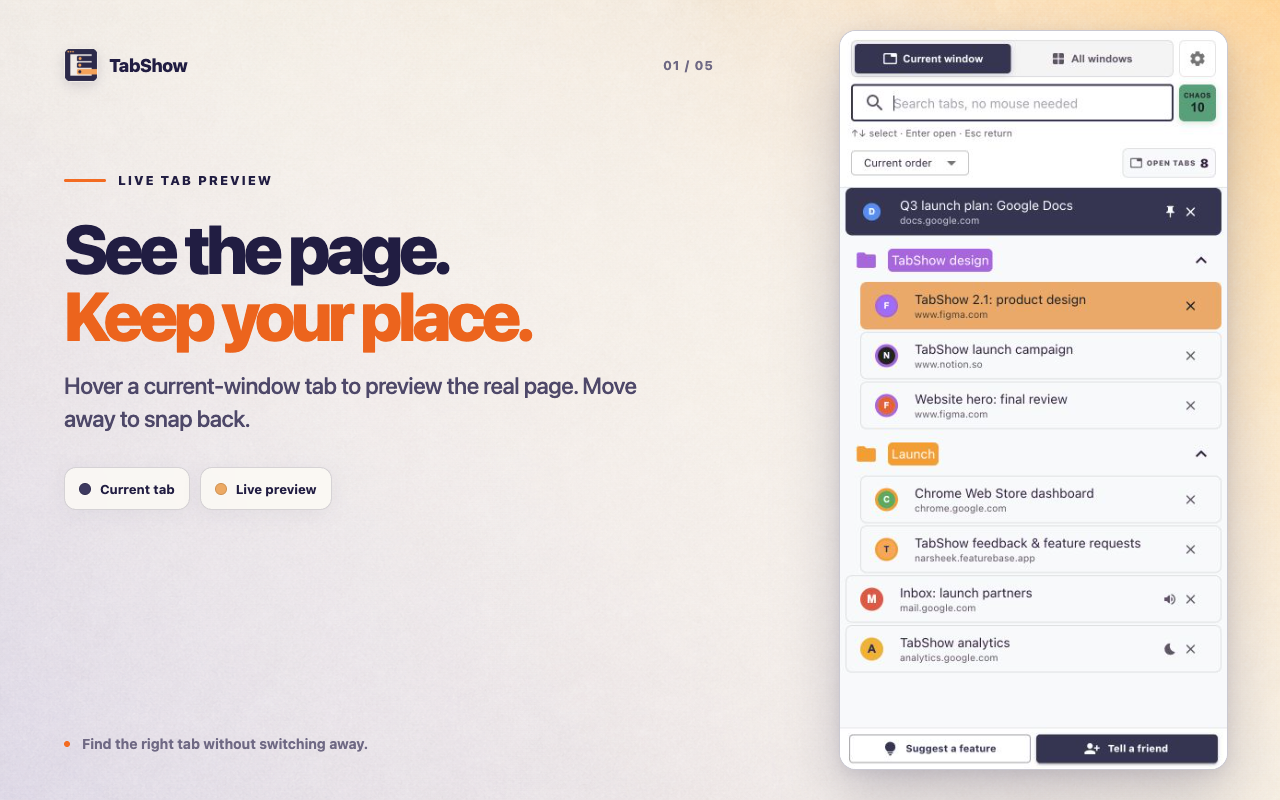
TabShow moves recognition into the side panel. The list keeps titles, domains, groups, and useful state visible. A hover activates the real tab as a temporary preview; leaving the panel restores the original tab.
- Search titles, URLs, and domains.
- Preview the live page instead of a thumbnail.
- Click to switch or move away to snap back.
- Keep Chrome tab groups visible and collapsible.
Live preview is different from a screenshot
A screenshot can be stale, too small, or unavailable on dynamic pages. TabShow previews the actual live tab in the main browser window. You see the page at its real size, with its current scroll position and state, because Chrome is showing that tab, not an imitation of it.
That behavior is also why TabShow treats tabs in another window carefully. Cross-window results remain searchable, but they switch only when clicked. Hovering should never unexpectedly pull focus to a different window.
Built for recognition, not workspace administration
TabShow does not ask you to name workspaces, save sessions, or move tabs into a separate system. It stays close to Chrome's own model: live tabs, real windows, and existing groups. The extension adds a faster way to identify the page you already have open.
If your primary need is cloud workspace sync or aggressive memory reduction, choose a tool built for that job. TabShow is deliberately narrower and faster to understand.