
Same tab pain, different intervention
Both products begin with too many tabs, but they intervene at different points. OneTab changes the state of the session by closing tabs into a list. TabShow leaves the session structure alone and changes how you inspect it.
That difference matters when forms, dashboards, authenticated tools, or in-progress pages should stay live. It also matters when the immediate problem is not memory, but uncertainty about which open page is the right one.
What TabShow adds to the live session
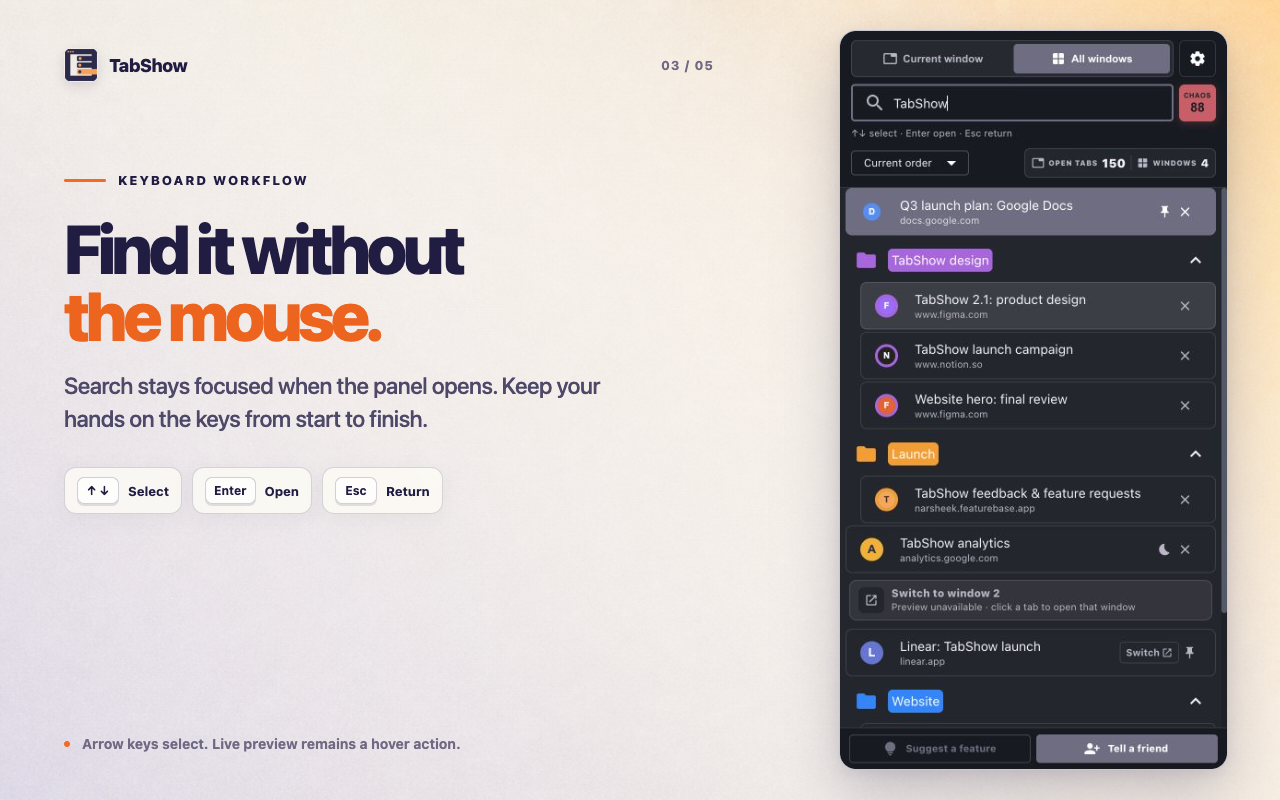
TabShow lists titles, domains, groups, and state in the side panel. Search narrows the set; Arrow keys select a result and Enter opens it, while hover previews the actual page. Moving away or pressing Escape restores the original tab after a preview.
- No account or cloud workspace.
- No closing tabs into a separate list.
- Search across current or all Chrome windows.
- Sort by browser order, recent use, domain, or group.
You may reasonably use both
These tools are not mutually exclusive. A heavy-tab workflow can use TabShow during active work and a session or reduction tool when it is time to clean up. The honest choice depends on whether your next action is recognize or reduce.
TabShow should not claim to replace OneTab's memory-reduction workflow. Its advantage is the fast live-preview loop before reduction becomes necessary.
Which job are you hiring the tool for?
You want to collapse many open tabs into a saved list, reduce the active tab count, and restore links later. That is a memory and session-recovery job.
You want to keep current pages live, search them, preview the real tab, and return to your original page when a candidate is wrong. That is a recognition job.